The software has an Export button. That feels reassuring until the team tries to leave. Rows arrive in a spreadsheet, but the links between records no longer work and the files still open from the old service. You have a download. You do not yet have a replacement.
Test whether your team can continue the work outside the original tool. A readable archive, connected records and a functioning workflow are three different outcomes. Notion documents limits on restoring database relations from CSV. Airtable attachment links can expire. An export button is the start of an exit test, not the result.2, 3
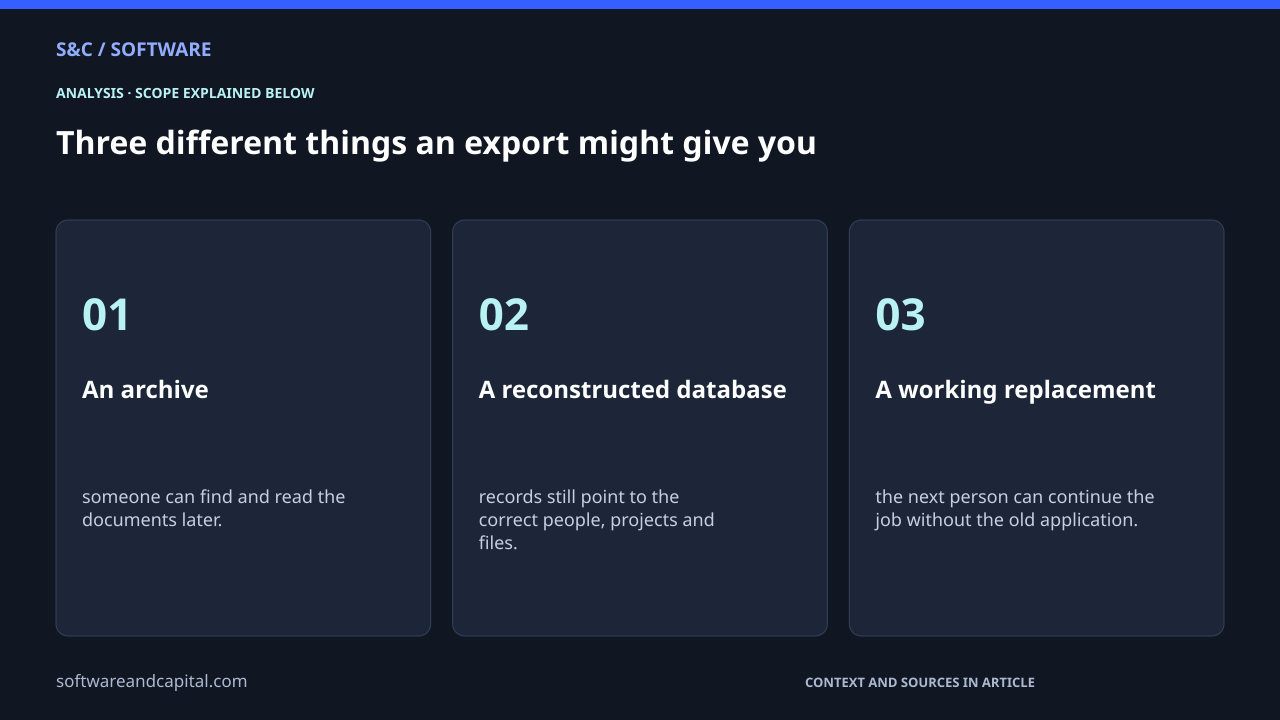
Three different things an export might give you
- An archive: someone can find and read the documents later.
- A reconstructed database: records still point to the correct people, projects and files.
- A working replacement: the next person can continue the job without the old application.
None of those is always the right target. A completed project may only need an archive. An active customer-implementation tracker needs more. Decide what must keep working before comparing two products’ export features.
Notion and Airtable reveal different gaps
Notion’s export documentation describes HTML, Markdown and CSV exports, along with uploaded files. It also says inaccessible content is excluded and that reuploading an export cannot instantly recreate a workspace. A successful download is not a complete restoration promise.1
| Feature | What can be lost or remain dependent on the old tool | Source scope |
|---|---|---|
| Notion relations exported to CSV | Relations appear as plain-text URLs and do not re-form when the CSV is imported. | Database relation export/reimport. |
| Airtable attachment download links | The URLs expire. Download the actual files before relying on an exported CSV as an archive. | Attachment download URLs. |
| Airtable attachment viewer links | The viewer still requires access to the relevant base or interface. | Airtable-hosted attachment viewing. |
With a relation, ask whether the destination understands the connection. With an attachment, ask whether it has the actual file. Counting exported rows answers neither. These examples do not establish that one product is better than the other. They show why “supports export” is too vague a purchasing criterion.
Move one real piece of work before moving everything
For a hypothetical customer-implementation tracker, choose a small authorized sample: one project, its owner, a linked task and a brief attached to that task. Include a completed task and a record with optional fields missing. The cleanest row in the database is not much of a stress test.
Save the original export unchanged. In the destination, give the imported records a way to refer back to their originals. Use stable identifiers where available. Matching names alone can confuse two customers or projects with the same label.
Rebuild the necessary links, copy permitted attachment files and reconnect them to the right records. Then ask a teammate with the intended access level to find the project, open the brief and make the next handoff. Do not give everybody administrator access just to make the test pass.
In this example, a PDF showing the old page might be a perfectly good archive. It would not prove that the new system can route work or keep records connected. The test is about the job you need to continue, not whether the export looks complete.
Make the missing pieces part of the decision
Record the gaps instead of hiding them
- Missing information: which fields, history or files were absent?
- Broken structure: which links or identities had to be rebuilt?
- Lost behavior: which automations, calculations or permissions need replacing?
- Actual effort: who did the reconstruction and how long did it take?
A simple field conversion may be easy to repeat. Rebuilding several different types of relationships could be harder than moving a large number of similar rows. Avoid multiplying the processing time of one tidy record by the entire database and calling it a migration estimate.
A small team may reasonably accept some reconstruction work because the product is useful now. The better question is whether you understand that future work and have a plausible way to do it. You do not need a perfect escape route, but you should know where it breaks.
Price the exit alongside the subscription
Pair the drill with a software billing comparison. One tells you what ongoing usage costs. The other shows which dependencies you are building up. Repeat the drill when the team adds important relationships, files or automations.
Keep access to the old service until the replacement passes the checks you chose. The reassuring moment is not when the download finishes. It is when somebody else can do tomorrow’s work without opening the old tool.
Sources and methodology
Sources checked September 21, 2026. Dates and periods for individual figures are stated beside them.
- Notion Help: Export your content ↗Accessed 2026-09-21
- Notion Help: Relations and rollups — export and import limitations ↗Accessed 2026-09-21
- Airtable Help: Airtable attachment URL behavior ↗Accessed 2026-09-21
Scope and assumptions
No export or import was executed. The project example is hypothetical and does not establish migration speed or fidelity.
Vendor examples describe specific documented limits, not a complete product comparison or a conclusion about contractual data-export rights.
AI-assisted research and editing. Our editorial standards.
Continue reading
1,000 Jobs, 3,000 Tasks: Why Software Bills Surprise You →
Webhooks Explained: Why Automations Miss Tasks or Create Duplicates →